
Dispatch software has to work for more than the dispatcher.
RouteIQ connects the person running the board, the driver working the route, the customer waiting for an update, and the developer tying dispatch into the rest of the business.
Run the day from the dispatch board
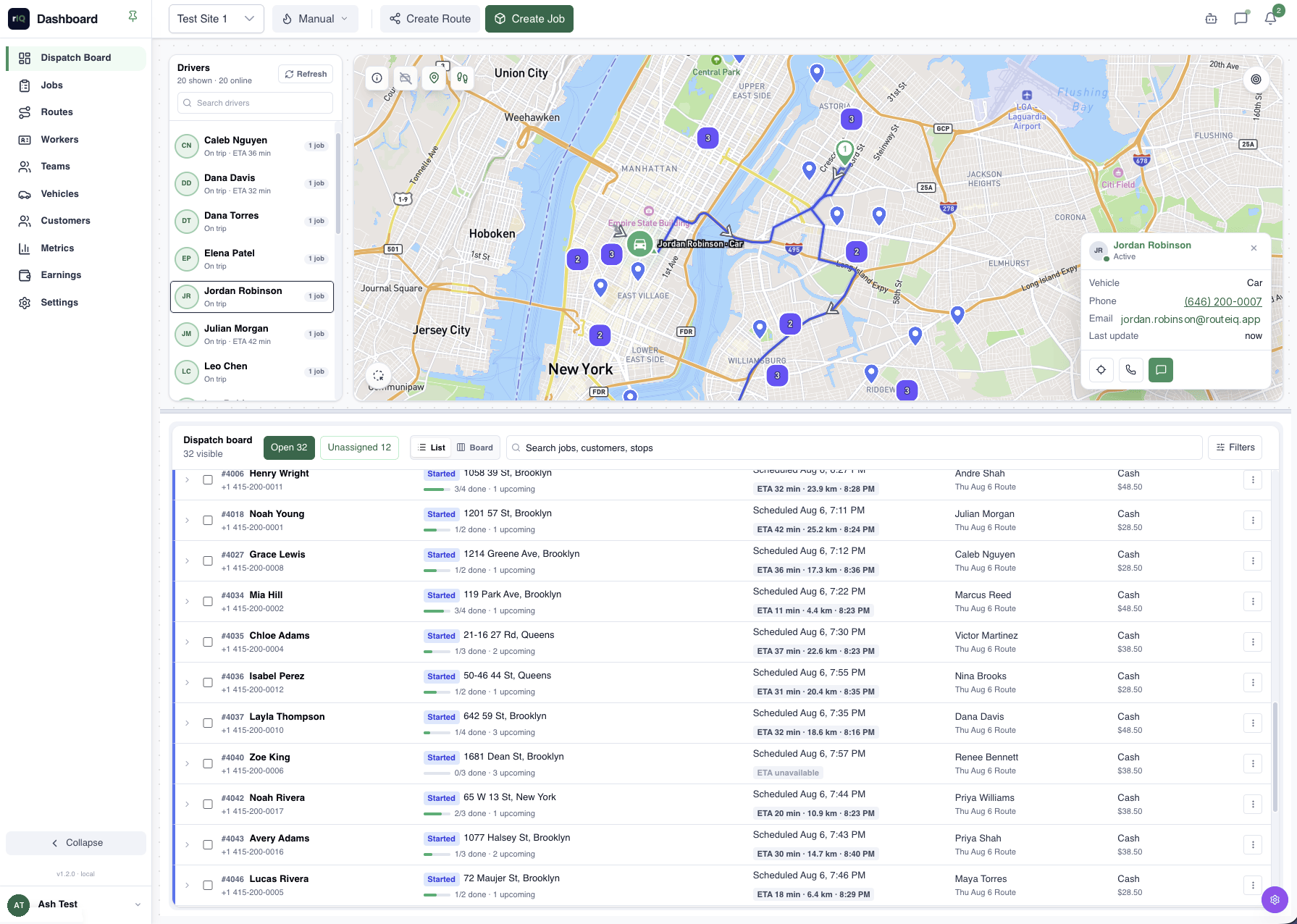
Assign work, watch drivers move, and catch late jobs while there is still time to do something about them.
Smart assignment
Auto-assign jobs to the nearest available driver, or drag them onto routes yourself. Requirement tags like hazmat, vehicle class, and lift gate are enforced automatically, so the wrong truck never gets the job.
Live map & ETAs
See drivers and active jobs on the same map. ETAs update as new location pings come in.
Zones & teams
Create zones, assign by team, and bulk-dispatch a day of jobs when manual assignment would take too long.
Chat & calls
Message or call a driver from the job so the conversation starts with the right context.
Reporting
Jobs by week, driver, or customer, compared to last month.
Service types & pricing
Define service types such as standard, express, fragile, or bulk, then attach the pricing and handling rules each one needs.
From a customer request to a route-ready job
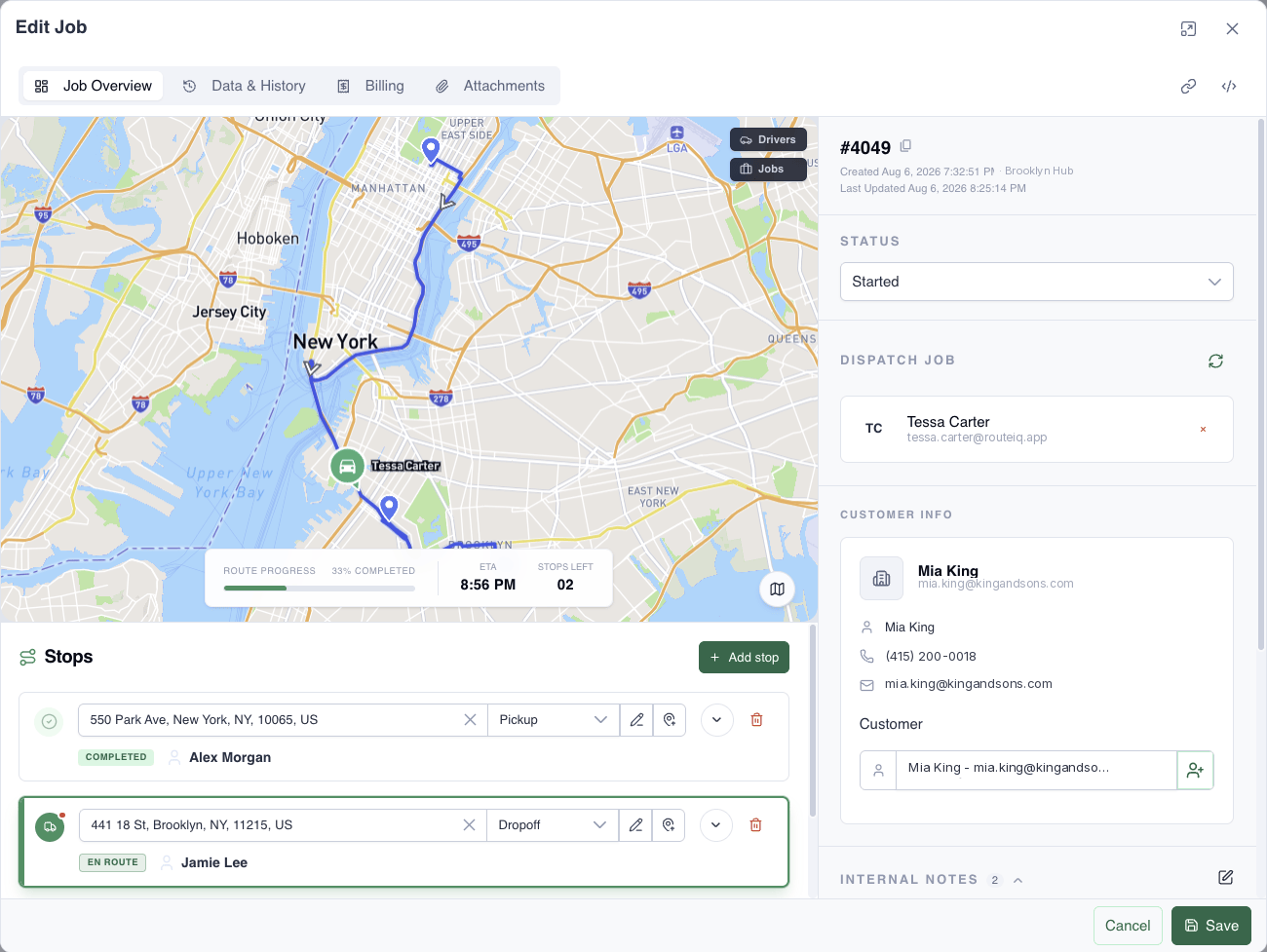
Add the customer, stops, schedule, service, and notes in one workspace. RouteIQ calculates the trip and keeps the dispatcher focused on what is still needed.
- Multi-stop pickup and dropoff jobs
- Live distance, travel time, and nearest-driver context
- Service pricing and required details before dispatch
Plan, check, and rebalance before dispatch
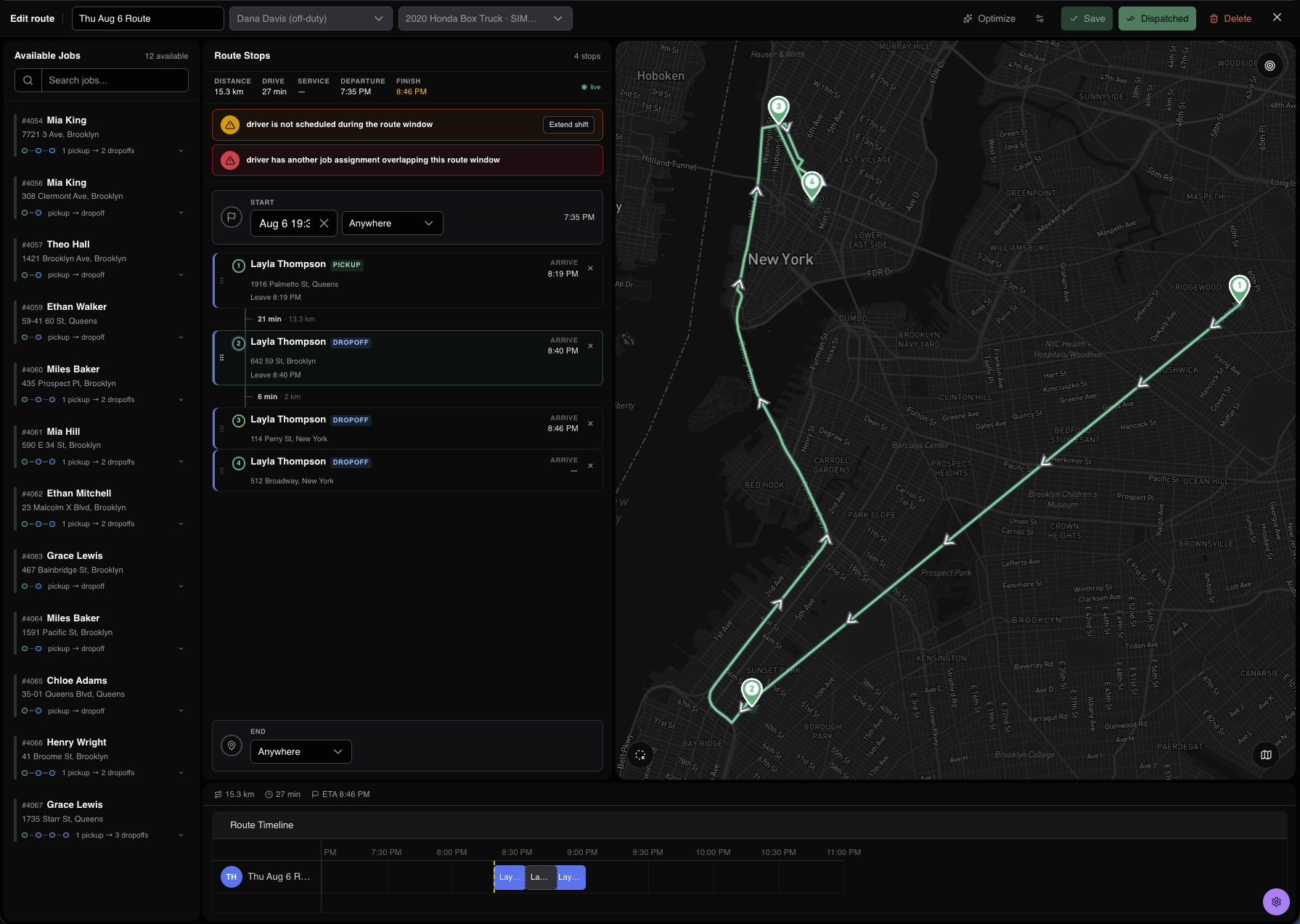
Build the stop order against the real map, catch schedule conflicts, and see the route timeline before a driver starts moving.
- Available jobs and route stops in one workspace
- Shift and assignment conflict warnings
- Live distance, drive time, finish time, and stop sequence
A driver app that shows the next useful step
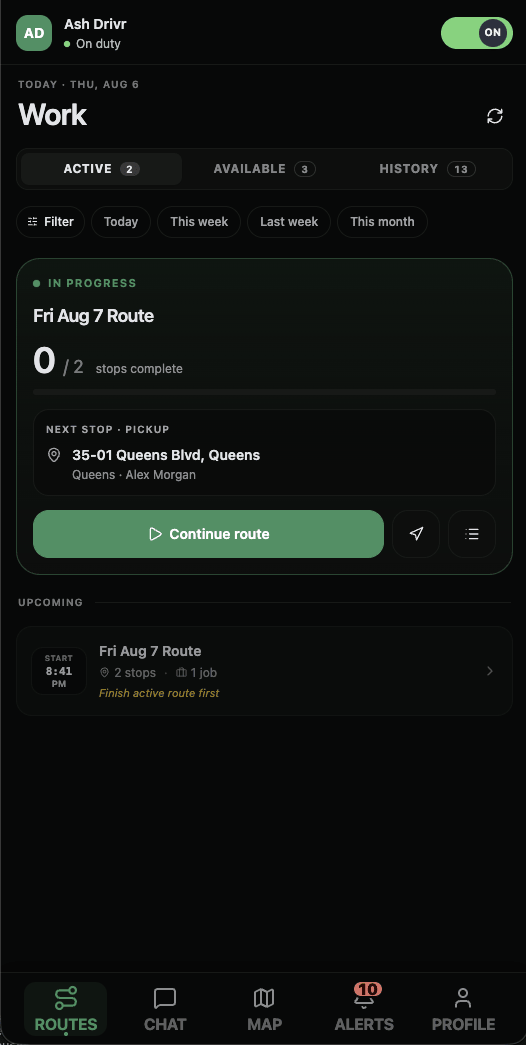
Drivers see their work and nothing they don't need. Less app-wrangling, more driving.
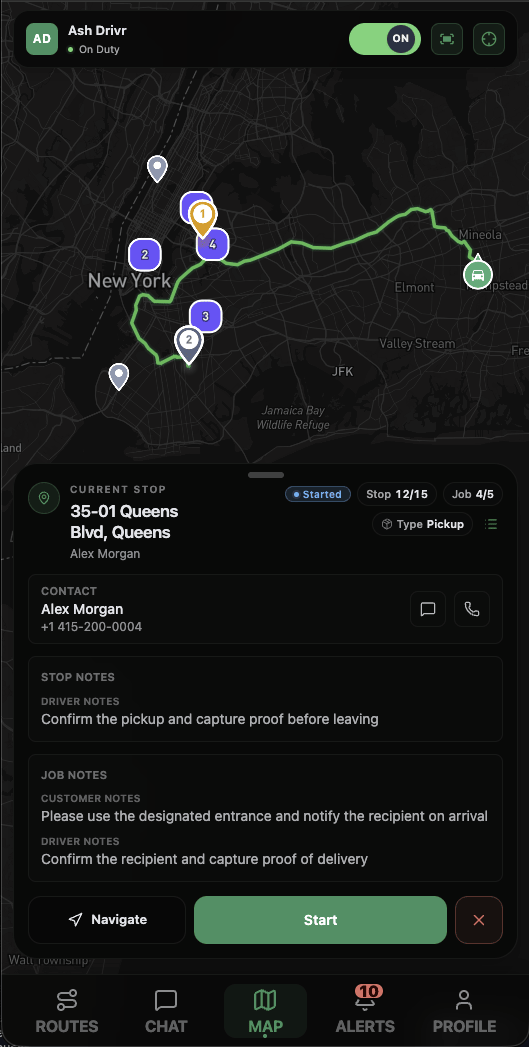
The route, one stop at a time
Each route is an ordered list of stops with the actions required at each one: pick up, drop off, collect a signature, take a photo. One tap moves the job forward; dispatch and customers see it instantly.
- Earnings visible per job, computed automatically
- New work arrives as a push, not a phone call
- Chat and calls with dispatch built in, no personal numbers
- Licenses and certifications feed what they can be assigned
They always know what's happening
A tracking link gives customers the current status and ETA before they call your dispatcher for it.
When a customer, auditor, or partner asks for proof
For disputes, chargebacks, and fleet audits, RouteIQ keeps the signature, photo, GPS trail, timestamps, and job history together.
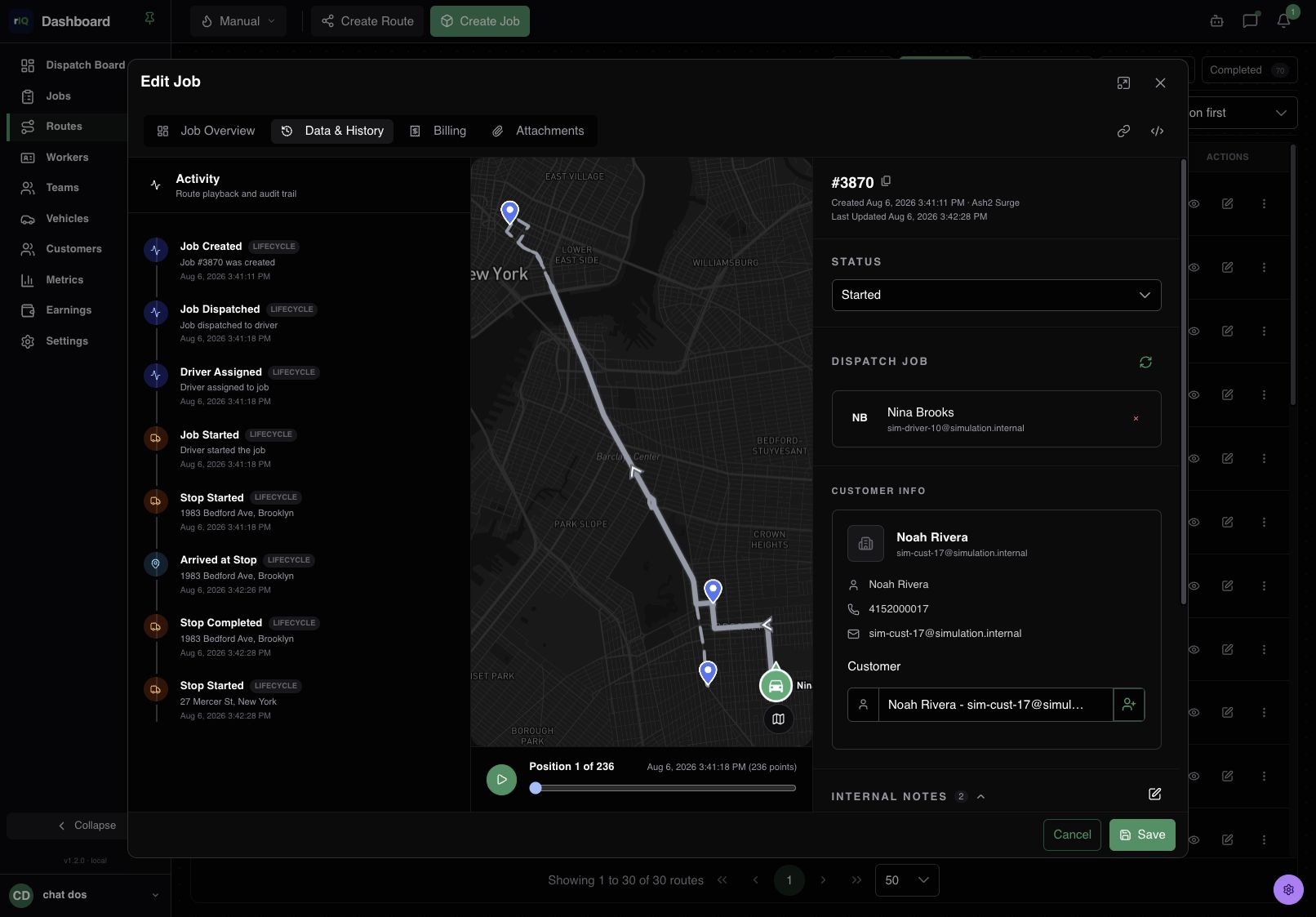
Proof stays attached to the job
- Signatures and photos captured at the stop, stored on the job
- Replay the route actually driven, timestamped
- Append-only audit trail; nothing editable after the fact
- Response-time logs and chain of custody, already there
When someone asks what happened, your team can pull up the job instead of reconstructing the day.
Use the API behind the dashboard
The dashboard is built on the same REST API available to customers, with webhooks for the operational events your other systems need.
Try it with a real day of work
The fastest way to judge dispatch software is to put real jobs, drivers, stops, and exceptions into it. Or browse the complete feature list first.