
Assign jobs, plan routes, and track your team.
RouteIQ Dispatch Software gives dispatchers one live view of the day. Drivers see their stops, and customers get updates as work moves.

Every detail of the job, in one place.
See who’s assigned, what’s happened, and what comes next.
Activity
Today-
Job createdAlex Morgan
-
Driver assignedJordan Lee
-
Job startedJordan Lee
-
Arrived at stop35-01 Queens Blvd, Queens
-
Stop completed35-01 Queens Blvd, Queens
Build the day, then keep adjusting it
Dispatchers see active jobs, assigned drivers, ETAs, messages, and late work without jumping between tools.
- Auto-assign by distance, zone, team, skill, or vehicle requirement
- Route optimization with multi-stop jobs
- Live map and operational alerts
Give drivers a day that makes sense
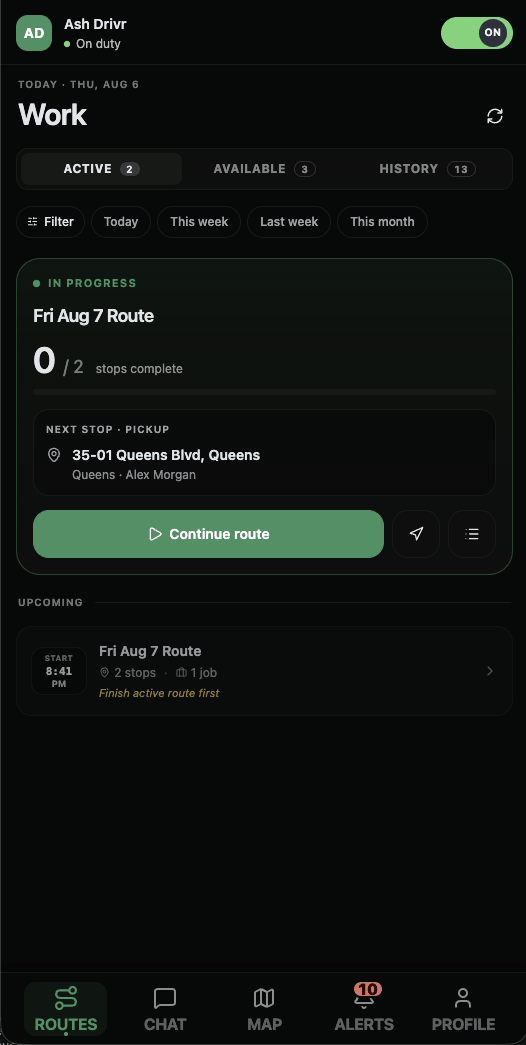
Stops, navigation, proof capture, earnings, and status updates without the extra noise.
- Ordered stop list with required actions
- Push notifications for assignments and changes
- On the App Store and Google Play
Send the update before the customer calls
Customers can open a branded tracking link for status and ETA instead of calling dispatch for the same answer.
- Branded live tracking pages
- SMS and email notifications
- Portal for repeat customers
Connect it to the systems you already use
The dashboard uses the same REST API available to you, and webhooks send job, payment, and driver events to your systems.
- OpenAPI 3.0 reference
- Job, route, stop, customer, worker, and webhook endpoints
- Every plan includes API access
Run your operation with a conversation.
Check on drivers, create jobs, and update routes using the assistant you already know.
Use RouteIQ’s built-in assistant over SMS or WhatsApp, or connect ChatGPT or Claude to manage your work right from your conversation.
Connect your assistant with MCP
Add https://api.routeiq.app/api/mcp as a custom MCP connector in your
assistant, then sign in to RouteIQ and approve access to your site.
Built-in assistant: use your own AI provider key at provider rates, with no markup.
Today 2:47 PM
Dispatch software without per-driver fees.
$0per month50 billable jobs included
$29per site / month500 billable jobs included
The feature list is the product list.
On every plan, including Free. The whole inventory is on the features page.
The API is part of the product
If the dashboard can do it, the REST API can too.
The platform adapts to the way your operation names the work.
Set the job states, custom fields, service types, and pricing rules around how your team already works.