
When someone asks what happened, open the job.
Review the job timeline, replay available location points, and inspect the proof collected at each stop. Search the audit log when you need to see who changed a record and when.
Follow the work from dispatch to completion.
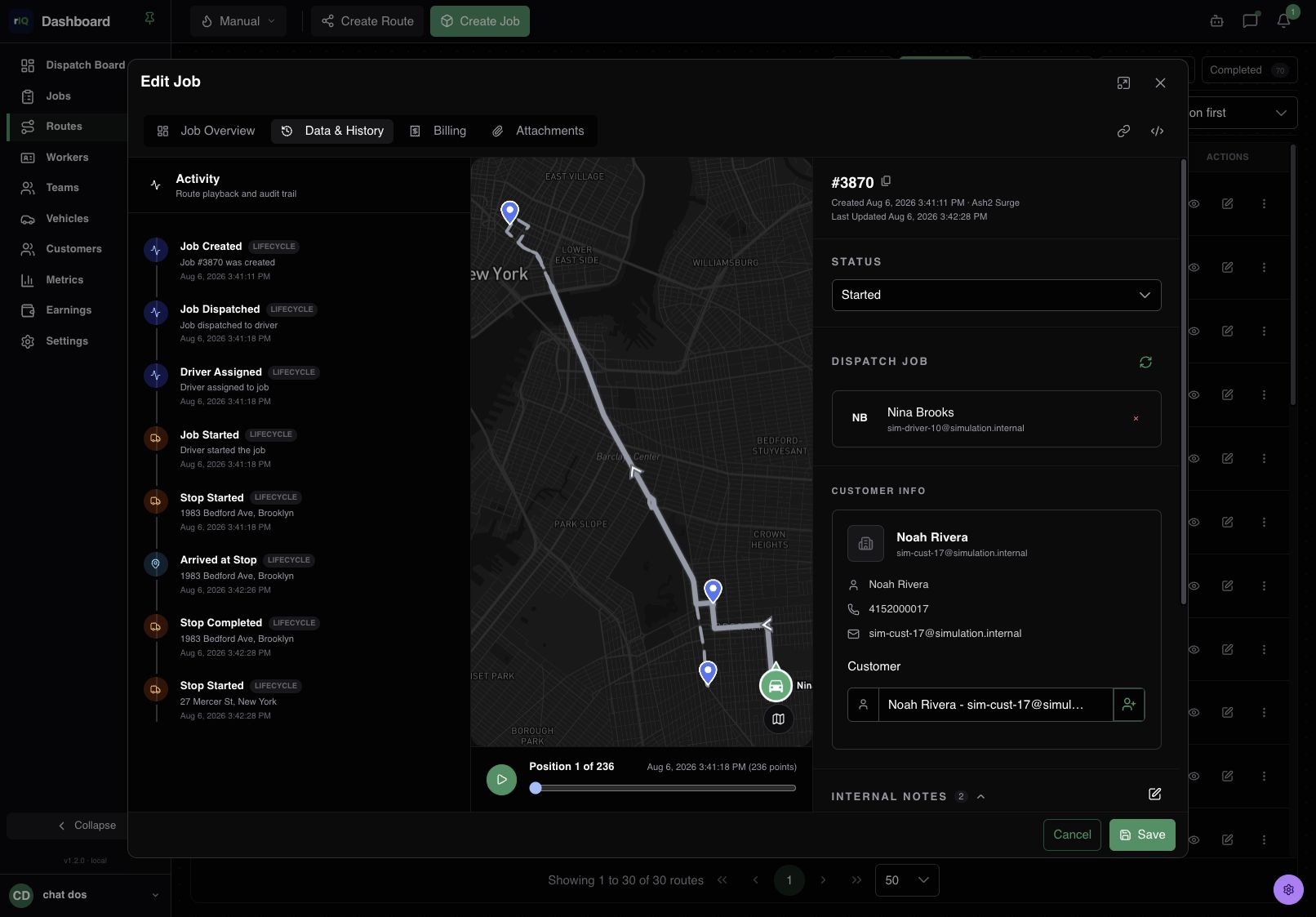
The Activity view places job and stop events beside the recorded route. Select an event or move through available timestamped points to review the sequence and timing.
- TimelineJob and stop events in time order.
- PlaybackAvailable GPS points from the job window.
- ContextThe job, stops, and route together.
Require the proof while the driver is there.
Set up a photo, signature, barcode scan, or custom form for the pickup, drop-off, or waypoint that needs it. Mark an action required so the stop cannot be completed before the action is done.
New matching stops receive the active requirements. Changing a configuration later does not rewrite the actions on existing jobs.
How to set up stop actions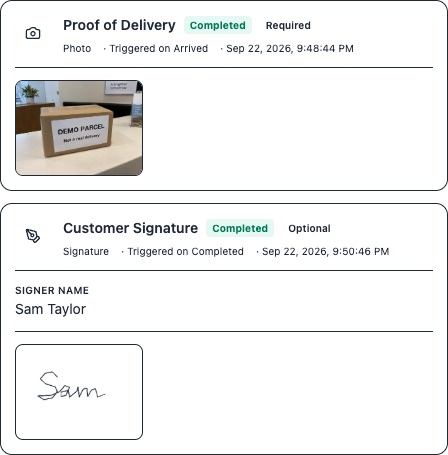
Trace the change, not just the current value.
For audited events such as job and stop changes, the append-only log records the action, time, actor, before and after snapshots, and changed fields. Search by entity, action, user, or date, then open an entry for detail.
Explore the audit API- Who
- The recorded actor
- What
- Entity and action
- When
- Timestamp
- What changed
- Before, after, and field differences
Use the location that was actually recorded.
The Driver App reports location while the driver is on duty. The job replay uses available points from that job's time window, so gaps in collection limit what it can show. Role-based access governs who can review company data.
Businesses are responsible for informing drivers about tracking and obtaining any required consent. Read how location data is handled
Build the record your operation needs.
Choose the stop actions your team must complete, then use activity, location, and audit records to review the work later.