
Delivery route planning
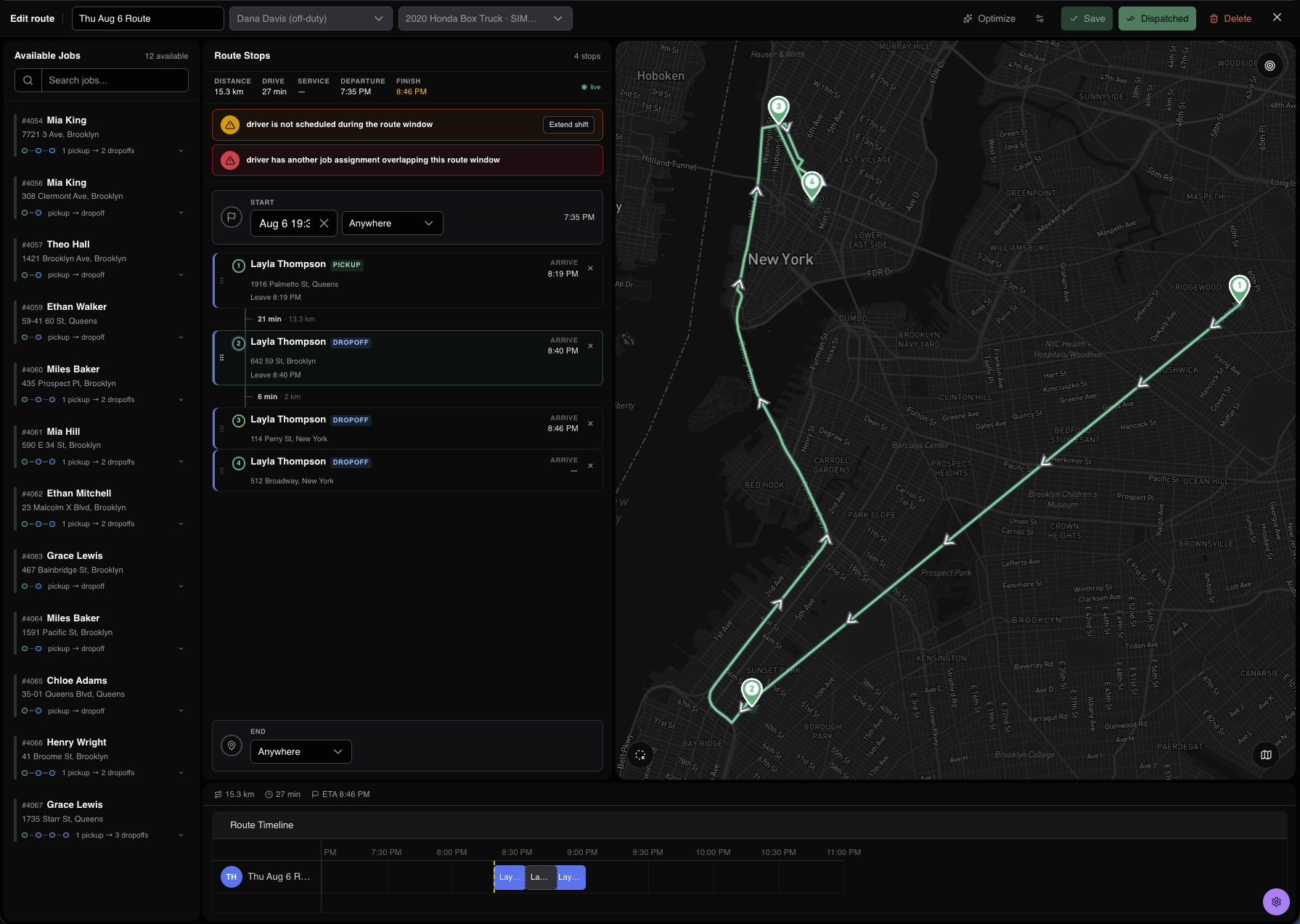
Group customer orders into delivery routes. Drivers get the stop details, and each customer can track their own order.
Orders and routes
Create a job for each order, then group the stops into a route. Check the stop order, delivery windows, and schedule warnings before assigning a driver.
Driver instructions
Drivers see the route, addresses, and delivery notes in the Driver App. Add handling requirements, such as refrigerated transport or a particular vehicle, when the job needs them.
Order tracking
Each delivery has its own tracking link with status and the latest ETA. Set up notifications using the channels your business supports.
Delivery records
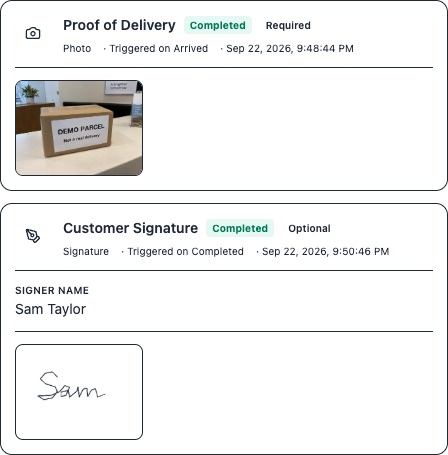
Collect the required photo, signature, scan, or form at each stop. Keep delivery issues in the job notes. The office can review an individual order or the full route.
Questions
Do I have to plan a route for every job?
No. Assign a job directly and RouteIQ adds its stops to the driver’s upcoming route. Plan a route when you want to arrange several deliveries together.
Do all customers see the same tracking page?
No. Each job has its own tracking link. Share the link for that customer’s order.